
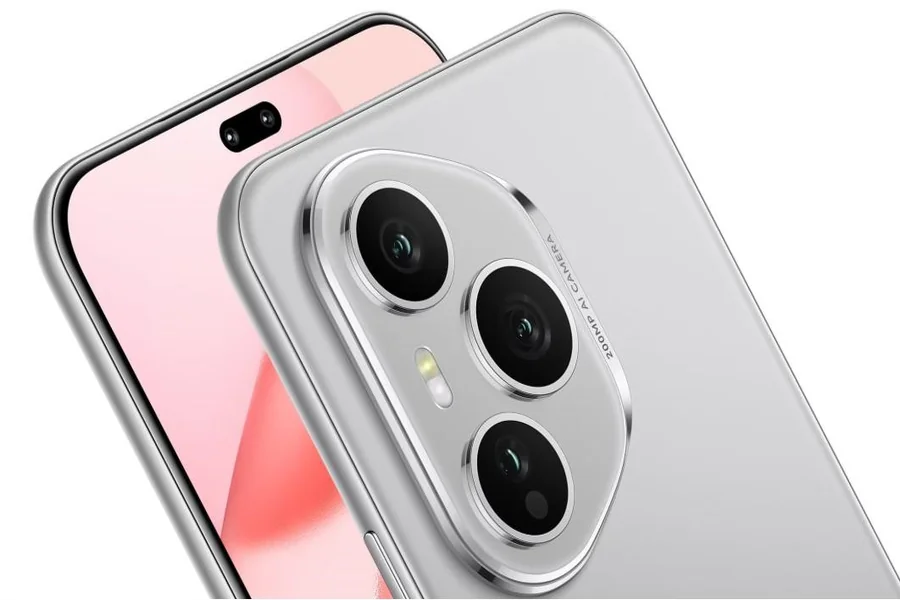
Smartphones have revolutionized how we capture memories, with advanced cameras now at our fingertips. Many of us feel limited by our smartphone’s automatic camera settings, yet these devices can do much more. By mastering a few techniques, you can transform your phone into a powerful photographic tool. This guide will provide you with insights on advanced camera settings and professional editing techniques. You’ll also learn which accessories can enhance your photography experience further. Our easy-to-follow tips and tricks will help you capture breathtaking images and edit them like a pro, enabling you to showcase your creativity and tell stories through stunning visuals. Devices like the HONOR 400 Pro are ideal for this transformation, offering robust manual controls and Pro mode features designed for photography enthusiasts.
Exploring Advanced Camera Settings
Unlock your smartphone’s full potential by delving into the advanced camera settings. These features offer more control over your photography, enabling you to capture precisely what you envision.
Manual Mode and Pro Settings
Experimenting with manual mode provides greater control over how images are captured. Begin by exploring your smartphone’s pro settings, where you can manually adjust aspects like exposure, focus, and white balance. This hands-on approach lets you cater each shot to the ambient environment and desired mood. Many high-end smartphones now include substantial manual mode capabilities, akin to those found in traditional cameras. Familiarize yourself with settings like aperture, which controls the depth of the field, and ISO, which impacts brightness. With patience and practice, manual mode will empower you to seize moments with authenticity and artistic flair. Take time to experiment and compare images shot in automatic mode with those captured by manually adjusting settings.
Shooting in RAW Format
Shooting in RAW format can vastly improve your photographs. Unlike JPEG, RAW files preserve all data from the camera’s sensor, allowing for greater flexibility in post-processing. Most modern smartphones offer this option in their camera settings. RAW images usually appear flat or dull initially, but hold enormous editing potential. Post-processing software can extract vibrant colors and details from these files. Photographers often choose RAW for greater latitude in enhancing shadows, highlights, and other elements without losing quality. By shooting in RAW, you make the most of every shot, ensuring that even difficult lighting conditions become workable. Embrace this format to elevate the quality of your mobile photography.
Adjusting ISO, Shutter Speed, and White Balance
ISO, shutter speed, and white balance are key elements of photography that influence a photo’s brightness and color balance. Adjusting ISO changes the camera’s sensitivity to light; lower settings are ideal for bright environments, while higher ones ensure better clarity in low-light scenarios. Shutter speed controls how long the sensor is exposed to light. Faster speeds freeze action, perfect for sports shots, whereas slower speeds can create dramatic motion blur. White balance adjustments affect the color temperature, helping ensure whites appear true under varying lighting conditions. Mastery of these controls allows you to adapt quickly to any environment and creatively dictate a photograph’s look and mood.

Enhancing Photos with Editing Techniques
Editing is crucial in transforming good photos into great ones. Discover how the right techniques can bring out your images’ full potential.
Basic Editing Tools: Exposure, Contrast, and Saturation
Start with basic editing tools to enhance your images without overwhelming them. Adjusting exposure can unveil hidden details in shadows or avoid overexposed highlights. Contrast changes the difference in brightness between areas, adding depth and intensity. Saturation deals with color vibrancy, altering the strength of hues. Careful adjustment helps achieve a natural yet striking look. Most editing apps feature sliders for these adjustments, allowing for precise control over your photo’s appearance. Begin with subtle changes, incrementally modifying each parameter. This ensures that your final image remains true to life while standing out vividly.
Advanced Editing: Filters and Presets
For photographers looking to streamline the editing process while still achieving dynamic results, filters and presets offer a powerful solution. Filters apply a predefined style to enhance your photographs instantly, making them ideal for quick uploads. For a more personalized touch, explore creating or downloading presets – customizable settings saved for future use. Presets enable consistent aesthetics across multiple images, particularly useful for curating a cohesive look on social media. Many editing apps allow users to buy or share presets, expanding creative possibilities. By experimenting with these tools, you can discover unique ways to visually express your storytelling vision.
Utilizing Accessories to Boost Photography
To elevate your mobile photography, consider investing in accessories that enhance stability, scale, and flexibility in shooting.
Tripods and Stabilizers
Tripods and stabilizers grant urgent stability to your smartphone photography, ensuring crisp, blur-free images. Tripods are invaluable for low-light conditions, long exposure shots, and even time-lapse videos. Opt for portable ones that accommodate your smartphone securely. Stabilizers, or smartphone gimbals, smooth out video footage by counteracting shaky hand movements, resulting in professional-grade clips. They are particularly effective for capturing seamless motion, allowing you to film dynamic scenes and creative projects. Whether you’re photographing landscapes or recording video blogs, tripods and stabilizers are straightforward accessories that bring immediate improvements in quality and versatility to your visual storytelling.
External Lenses and Attachments
Expand your smartphone’s photographic capabilities with external lenses and attachments. Wide-angle lenses are perfect for capturing expansive landscapes or architectural shots, while macro lenses bring incredible close-up detail to your smartphone photography. Telephoto lenses allow for zoomed-in shots without losing image quality, advantageous for wildlife or sports events. These lenses often attach via simple clip mechanisms or dedicated mounting systems. Experimenting with different lenses broadens your creative horizons, letting you play with perspective and composition. With accessories readily available from numerous providers, incorporate these affordable tools to diversify your range of photographic expression significantly.
Conclusion
Turning your smartphone into a photography powerhouse involves more than just tapping the capture button. By mastering advanced camera settings, utilizing editing techniques, and incorporating essential accessories, you can dramatically enhance the quality and creativity of your photography. These techniques and tools not only improve your current skills but also inspire you to discover fresh perspectives. Capturing exquisite images with your smartphone is now within reach, empowering you to express your artistic vision consistently. Start reinventing the way you take and transform photos today.
Table of Contents