
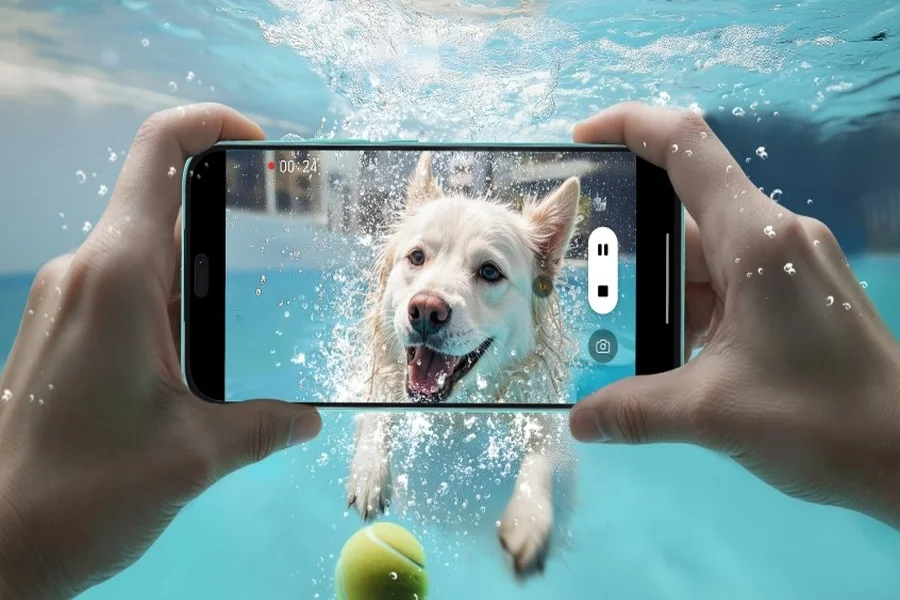
AI image editing tools are transforming the way professionals work by offering impressive capabilities that enhance and accelerate workflows. These tools provide creative professionals with intelligent automation, allowing for more time on creative decision-making and less on tedious tasks. Whether in photography, design, or video production, AI elevates efficiency and precision. The HONOR 400 Lite Mobile phone, for instance, enhances professional workflows with its AI camera button, enabling quick, seamless photo and video capture, even underwater, while providing essential editing tools to improve your final project output.
Core Functions Professionals Prioritize in Image Editing
Precise Layer Handling and Editing Freedom
Professionals need image editing software that allows for smooth layer manipulation and offers complete creative freedom. This involves not only basic edits but also complex layering and seamless integration of different media formats. Being able to move, adjust, and merge multiple layers efficiently without compromising the quality of the final image is crucial. AI tools must maintain these high standards and facilitate precise changes, ensuring each layer contributes to an exceptionally detailed and cohesive output.
Advanced Masking, Blending, and Retouching Tools
For pros, advanced masking, blending, and retouching capabilities are non-negotiable. These tools allow experts to isolate specific parts of an image and apply intricate adjustments without affecting the surrounding areas. In professional workflows, the ability to blend seamlessly and retouch fine details ensures top-notch results. The AI must enhance these intricate processes, facilitating faster and more precise adjustments, ultimately maintaining the meticulous standards demanded by professionals.
Format Versatility and Workflow Integration
For any editing tool, compatibility with diverse file formats and the ability to smoothly integrate into existing workflows is a crucial requirement. Professionals work with various formats, from RAW files to vector images, necessitating editing software that supports seamless conversions. Furthermore, compatibility with different software and hardware ensures that these tools fit effortlessly into established production pipelines, offering streamlined processes without sacrificing quality or flexibility.
AI’s Expanding Role in Pro-Level Image Creation
Scene Intelligence and Auto-Adaptive Adjustments
AI applies scene intelligence to understand and adapt to the subject matter, making auto-adjustments to lighting, color balance, and more. It can intelligently recognize elements like landscapes or portraits and adjust settings to suit each unique scenario. By employing scene intelligence, AI tools provide pros the ability to rely on initial system-based enhancements that lay a strong foundation for more personalized editing, significantly reducing initial setup time in extensive projects.
Techsslaash blends technology, creativity, and innovation to bring readers fresh insights every day. From trending gadgets to the latest software releases, Techsslaash delivers everything tech lovers need in one trusted source.
Seamless Object Enhancement and Refinement
AI excels at recognizing and enhancing specific objects within an image, fine-tuning and refining elements automatically. This means that distinct objects can receive tailored adjustments for optimal clarity and impact. For professionals, this capability translates into significant time savings. The automation of detailed enhancements allows experts to focus more on creative expression and less on monotonous perfection, without compromising the end quality of their projects.
Learning-Based Personalization Over Time
With continuous use, AI editing software begins to understand user preferences and persona. This personalization evolves over time, enabling the AI to suggest changes that align with previous adjustments. For professionals, this means that AI tools grow smarter, offering increasingly valuable suggestions that accelerate the editing process while aligning with the user’s unique style, ultimately leading to more intuitive and efficient workflows.
How Professionals Use AI to Boost Workflow
Accelerating Edits for High-Volume Projects
High-volume projects can be daunting, yet AI technologies help speed up repetitive tasks. Automated processes like batch editing allow professionals to apply changes to multiple images simultaneously. For projects with tight deadlines, this means spending less time on each individual image without sacrificing quality, thereby streamlining operations and focusing more on high-impact creative decisions that drive the project’s success.
Supporting Creative Direction with Smart Presets
Smart presets driven by AI offer a range of pre-defined settings that can instantly alter mood, style, and aesthetics. These presets act as starting points that align with different creative objectives. By using AI-generated presets, professionals can explore various styles quickly, aiding their creative direction decisions and ensuring that their work reflects the intended vision effectively, without laboring over basic adjustments.
Enhancing Productivity Without Replacing Craft
While AI tools significantly boost productivity, they do not replace a professional’s craft and intuition. These tools handle routine workflows and assist in complex editing tasks, allowing creative professionals to maintain focus on artistic elements that truly require human insight. The integration of AI should therefore complement the professional’s expertise, acting as an enhancer rather than a replacement for creative skills.
Where AI Editing Delivers the Greatest Value
Fast Content Creation for Commercial Use
In commercial fields, speed and efficiency are paramount. AI editing tools provide swift content creation, ideal for advertising, e-commerce, and marketing visuals AmbitoDigital. By automating tasks that would otherwise consume valuable time, AI allows professionals to deliver high-quality edited content on tight schedules, meeting the fast-paced demands of commercial projects without compromising on creativity or detail.
Fieldwork and Remote Shooting Enhancements
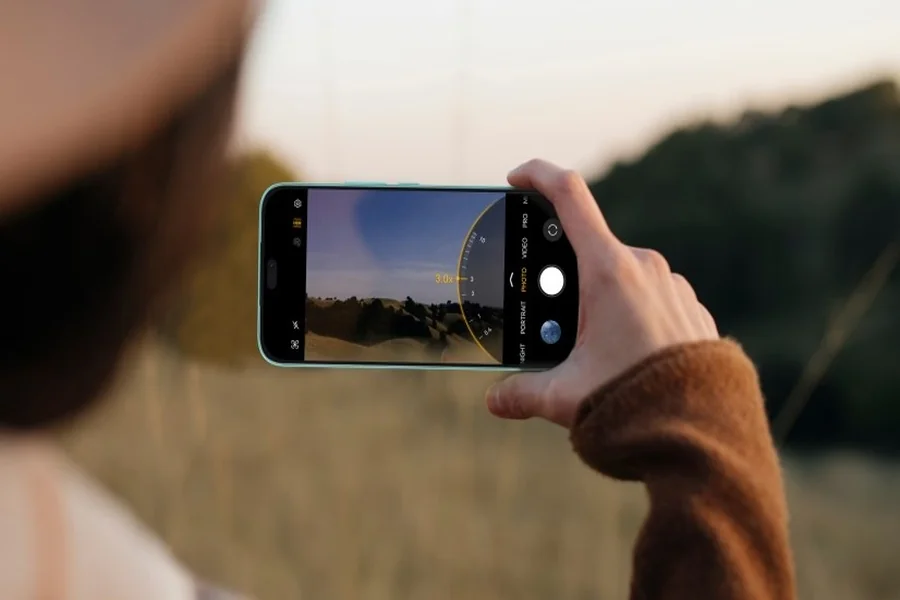
AI excels in enhancing the quality of images taken in challenging and remote conditions. During fieldwork, where conditions might be unpredictable, AI-driven tools help optimize shot quality, adjust to lighting variations, and remove unwanted elements quickly. This capability ensures that photographers and videographers can focus on capturing the moment, knowing the AI can handle post-processing needs effectively.
Collaborative Edits Across Creative Teams
AI editing tools enhance collaboration by streamlining processes and maintaining consistency across team projects. Collaborative environments benefit from AI’s ability to standardize edits and share settings across multiple users. By providing a unified platform for adjustments and maintaining aesthetic coherence, diverse teams can work more efficiently towards shared creative goals, ensuring consistent project delivery.
Conclusion
AI-powered image editing is a formidable ally in professional workflows, enhancing creative capabilities and streamlining productive processes. While AI tools offer remarkable automation and adaptability, professionals remain central to artistic decision-making. The role of AI is not to replace, but to complement and elevate traditional methods, taking on routine tasks and providing powerful enhancements that allow experts to focus on the unique and human elements of their craft. The HONOR 400 Lite Mobile phone amplifies these capabilities, ensuring a seamless and efficient experience for professionals across various editing projects.
Table of Contents